The Five Strategy Views
The Strategy selector swaps which block of stat columns the table shows. The players, filters and sort all stay the same — only the columns change, so you can read the same match through five different lenses. Each view is built around one trading angle.
Plain definitions for every abbreviation below are in the Stat Glossary.
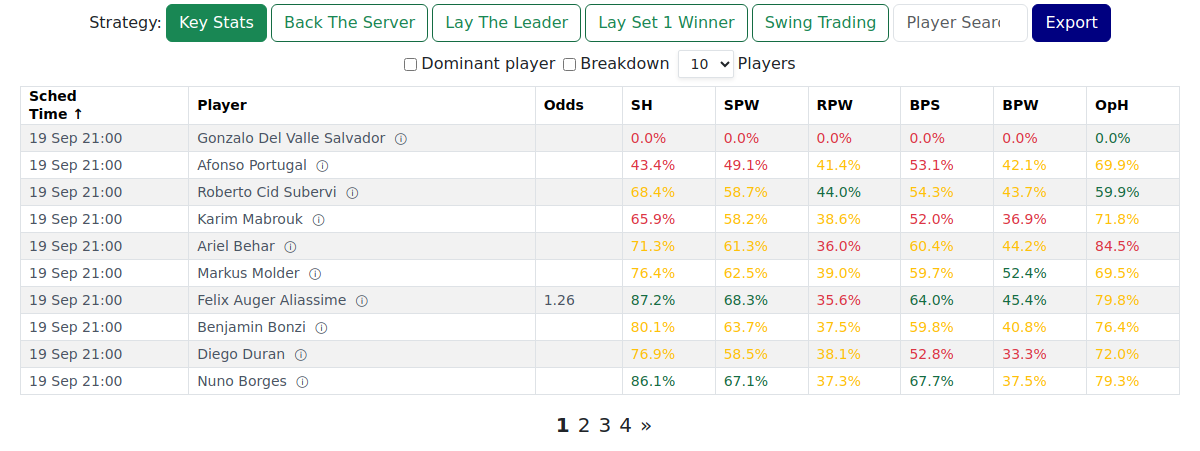
Key Stats
Your all-round starting point — the serve-and-return health check for both players before you commit to an angle.
Columns: SH · SPW · RPW · BPS · BPW · OpH
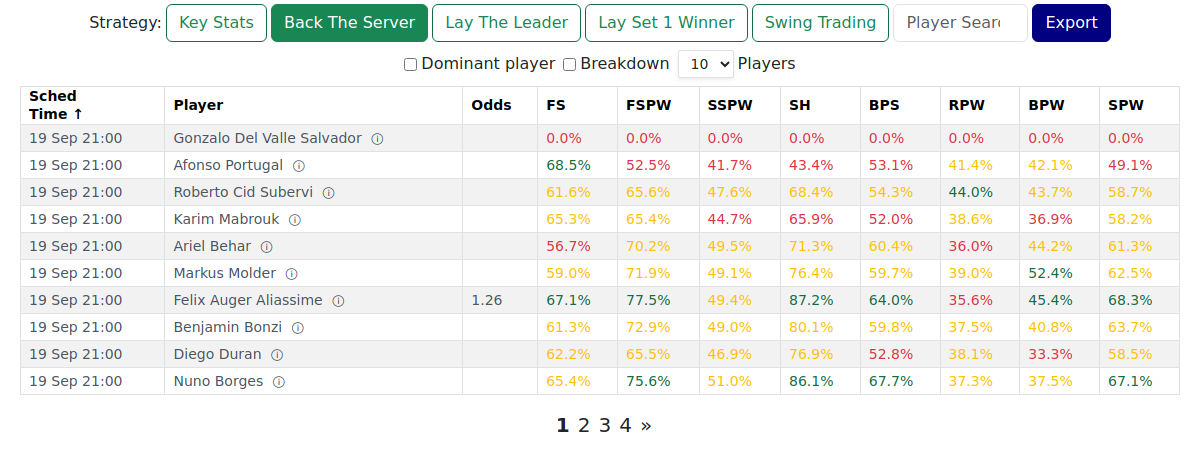
Back the Server
For when a player's serve looks strong and hard to break. Supports the idea of backing that player to hold their service games.
Columns: FS · FSPW · SSPW · SH · BPS · RPW · BPW · SPW
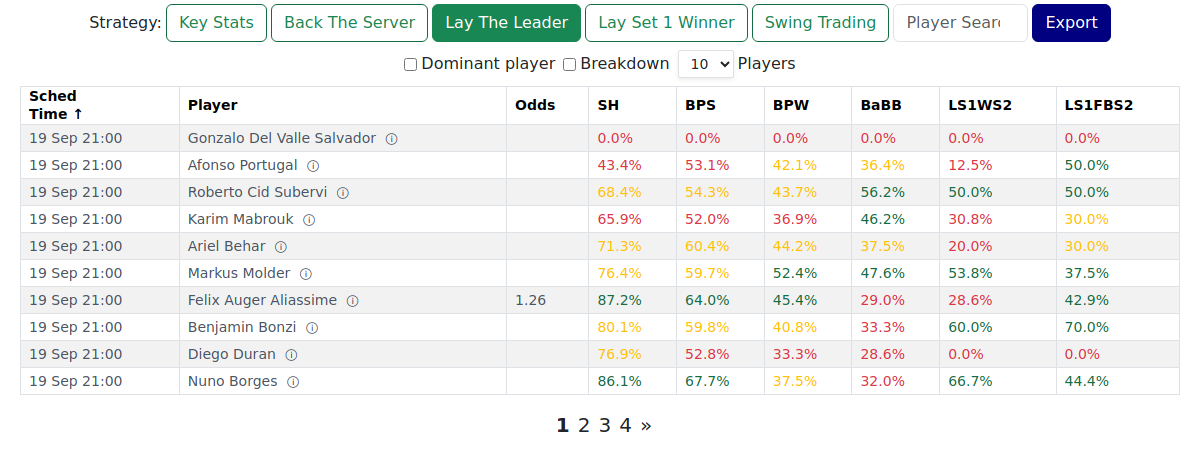
Lay the Leader
For matches where leads tend not to hold up. Highlights matches where the player in front can get pulled back.
Columns: SH · BPS · BPW · BaBB · LS1WS2 · LS1FBS2
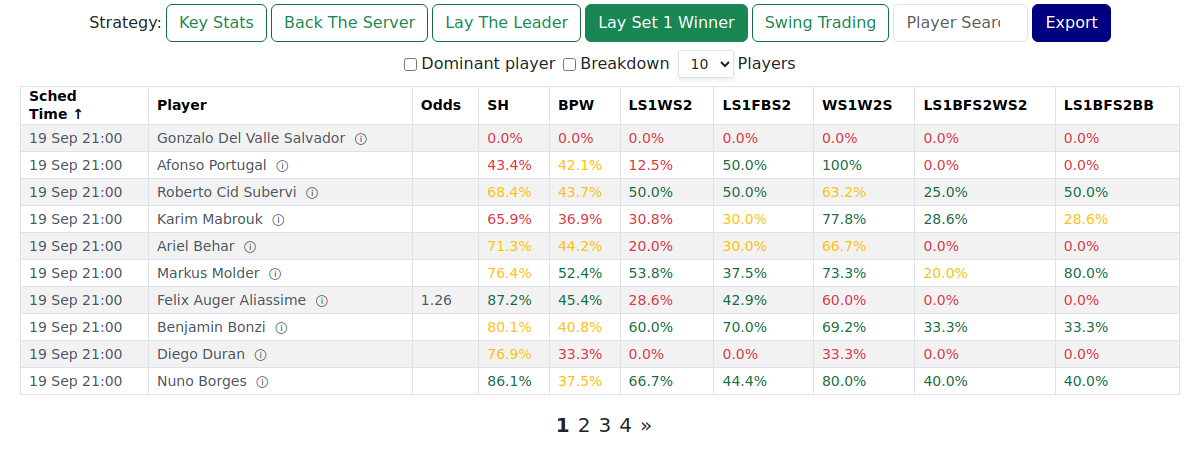
Lay Set 1 Winner
For when winning the first set doesn't settle the match. Flags set-one winners who are still beatable.
Columns: SH · BPW · LS1WS2 · LS1FBS2 · WS1W2S · LS1BFS2WS2 · LS1BFS2BB
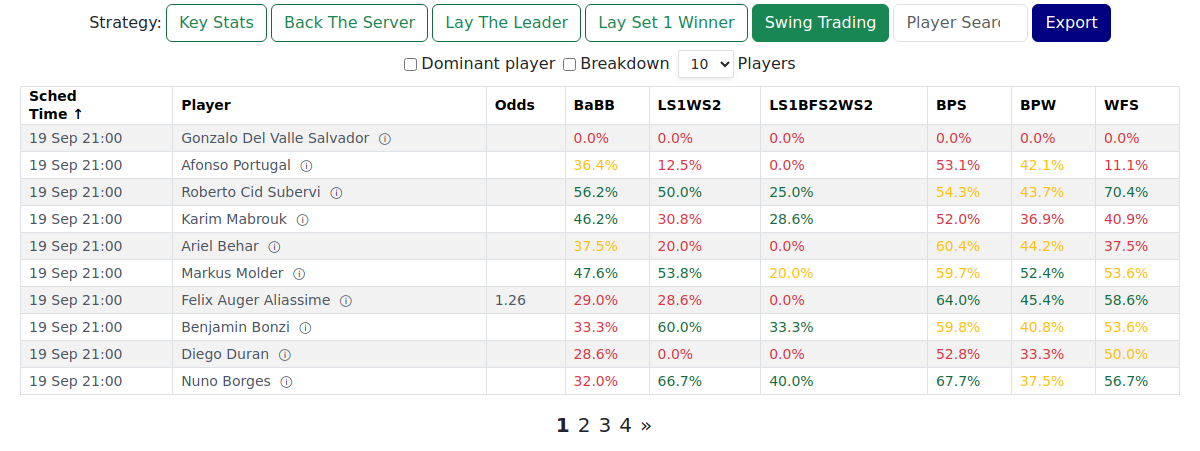
Swing Trading
For matches where momentum flips back and forth. Built for trading the ups and downs of a volatile match rather than picking one winner.
Columns: BaBB · LS1WS2 · LS1BFS2WS2 · BPS · BPW · WFS
Notes, tips & tricks
- Switching strategy changes only the columns — the same players stay listed in the same order with the same filters.
- Key Stats is the entry point. If a stat stands out there, follow it into the specialist views.
- OpH (Opponent Hold %) is the one stat where low is good — it means the opponent struggles to hold serve against this player. Its colour is inverted: green = low, red = high. Don't mistake a green low-OpH for an anomaly.
- Hover over any column heading for a short definition; the full plain meanings are found in the Stat Glossary.
- Use Breakdown alongside any set-pattern view. Set patterns (LS1WS2, WS1W2S, and the like) happen far less often than points or games. An 80% from five matches means something very different from the same figure over 50 — turn Breakdown on and read the % against its count. See Reading the Colours.
- Each view answers one question. Back the Server: is this player's serve hard to break right now? Lay the Leader: do leads tend to slip in matches like this? Lay Set 1 Winner: does winning set one actually lock up the match here? Swing Trading: does momentum flip back and forth? Pick the view that matches the question in your head.
FAQ
When would I use each view?
- Key Stats — your all-round starting point. The serve-and-return health check for both players before you commit to an angle.
- Back the Server — when a player's serve looks strong and hard to break. The idea it supports: backing that player to hold their service games.
- Lay the Leader — when leads in a match tend not to hold up. It highlights matches where the player in front can get pulled back.
- Lay Set 1 Winner — when winning the first set doesn't settle the match. It flags set-one winners who are still beatable.
- Swing Trading — when momentum flips back and forth. Built for trading the ups and downs of a volatile match rather than picking one winner.
Which view should a beginner start with? Key Stats. It shows the core serve and return picture — hold percentage, points won on serve and return, break-point stats, and opponent hold. Once those feel familiar, the specialist views build naturally on the same foundations.
What are BPS and BPW, and how do they differ? BPS (Break Points Saved) = the share of break points the player defended on their own serve. BPW (Break Points Won) = the share they converted on the opponent's serve. BPS measures serve-pressure resistance; BPW measures attacking danger on return.
What do the set-pattern columns mean — things like LS1WS2, LS1FBS2, WS1W2S? They measure how often a specific set sequence happens in a player's matches. Full plain definitions for every abbreviation are in the Stat Glossary.
Do all views use the same selected options? Yes. The Period and Surface you've chosen apply to every strategy view. Switching from Key Stats to Back the Server doesn't reset the window — you're looking at the same history through a different lens.
Why do some columns only appear in one view? Each view is built around a specific trading angle, and its columns are chosen to support that angle — first-serve stats sit in the serve-focused view; set-pattern columns sit in views where set sequences are the point. You're not missing data by being on a different view; you're zoomed in differently.
Are these strategy names specific to this service? The strategy names and groupings are specific to this service. The underlying statistics — hold rate, break points, set patterns — are standard tennis metrics used across the sport.
Which stats should I look at first? SH (Service Holds), SPW and RPW (points won on serve and return), and BPS / BPW (break-point stats). Those five cover the heart of serve and return dominance. The set-pattern columns build on top once the basics feel solid.