Live Matching
Live Matching answers the everyday question: which players right now fit my system? It runs automatically whenever your rules are valid.
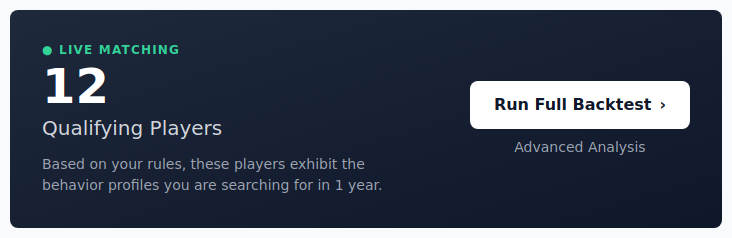
The qualifying players count
The big number on the Live Matching card is how many current players match your rules over the selected period. Underneath, the tool explains it:
Based on your rules, these players exhibit the behaviour profiles you are searching for.
Click the number to open the full list of those players.
Buttons on the card
| Button | What it does |
|---|---|
| The count (big number) | Click it to open the Qualifying Players list. |
| Run Full Backtest | Replays the rules over history — see Run a Backtest & Read Results. |
| Advanced Analysis | Opens the threshold-tuning workbench — see Advanced Analysis. |
| Refresh (top-right) | Re-checks live matching against the latest data. |
The Qualifying Players list
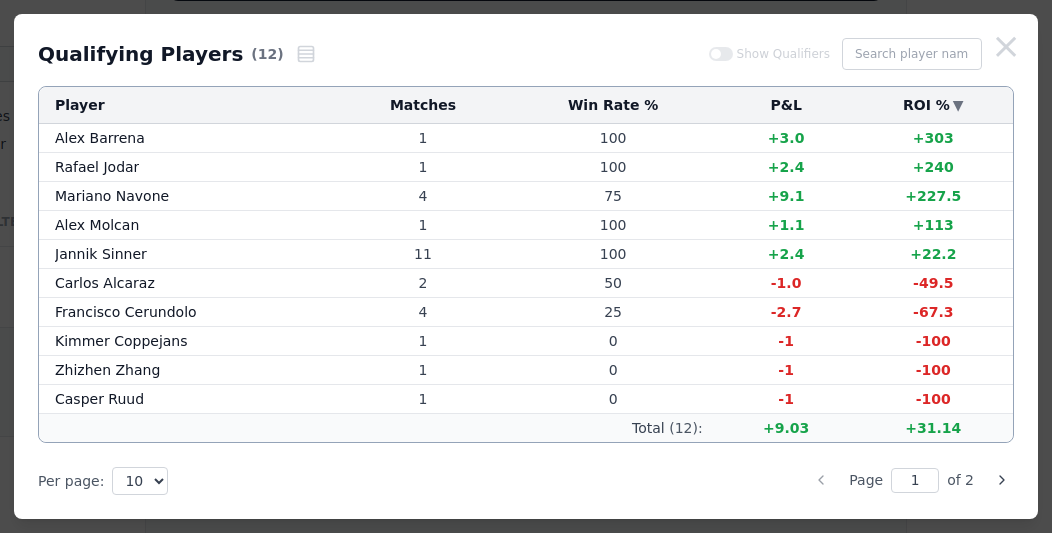
This list shows every player who currently fits your rules, with their Matches, Win Rate, P&L and ROI over the period.
| Control | What it does |
|---|---|
| Column headers | Click to sort; click again to reverse. |
| A player's name | Runs a backtest focused on that player only (see below). |
| Rows icon (top-left) | Shortcut straight to the full Backtest Results for all qualifying players. |
| Show Qualifiers | Filters to players with an upcoming scheduled match. |
| Search player name | Type to find one player in the list. |
Two ways into the backtest
The list is a launchpad into your results:
- Click a player's name to open the Backtest Results filtered to that one player. The player's name is pre-loaded into the search box with Backed only on, so you see just the bets your system placed on them — handy for checking a single name before you trust it.
- Click the rows icon at the top-left (next to the count) to jump to the full Backtest Results for every qualifying player at once — the same as pressing Run Full Backtest, one click away.
Advanced Analysis
Want to know whether a slightly looser or tighter threshold would have paid better? That lives on its own page now — see Advanced Analysis.
When you see a warning
The card turns red when it can't give a clean answer:
- Limit Reached — your rules match too many players. Add a rule or tighten a filter to narrow things down.
- Insufficient Filtering — the search is too broad to run. Same fix: be more specific.
An empty or over-full count both mean the same thing — the rules need adjusting. The sweet spot is a focused, believable set of players.
Tips
| Tip | Why it matters |
|---|---|
| Click the count first | It opens the Qualifying Players list — the fastest way to browse candidates. |
| Check before you bet | Live Matching updates in real time, but refresh (button at top-right) to be sure. |
| One system, many opportunities | A single saved system will highlight different players as matches approach and odds move. |
| Use Advanced Analysis to tune | If a rule almost works, find the exact threshold that pays best before betting. |
Next step
That's the full loop: build, test, read, save, and match live. Head back to Getting Started for the overview, or open the Metric Glossary for what every metric means.