Custom Matches tab
Custom Matches lets you build a "what-if" matchup between any two players and see how they compare side by side — even if they are not actually scheduled to play each other.
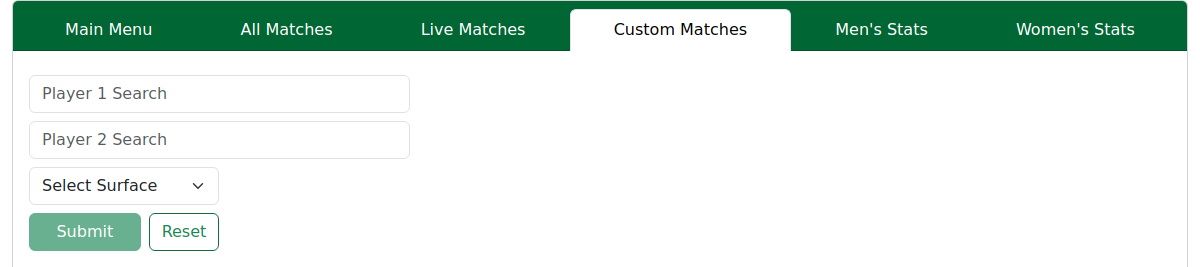
What it is
- It is a hypothetical comparison. The pairing may never happen; the page simply puts the two players next to each other.
- The stats shown are each player's own current form, presented exactly like a real upcoming match — same head-to-head, previous matches and the full filter bar. It does not invent a result or predict a winner.
How to use it
- Search for player one in the first box (see below).
- Search for player two in the second box.
- Choose a surface.
- Click Submit — it opens a match-page-style comparison for that pairing.
Use Reset to clear and start again.
Searching for a player
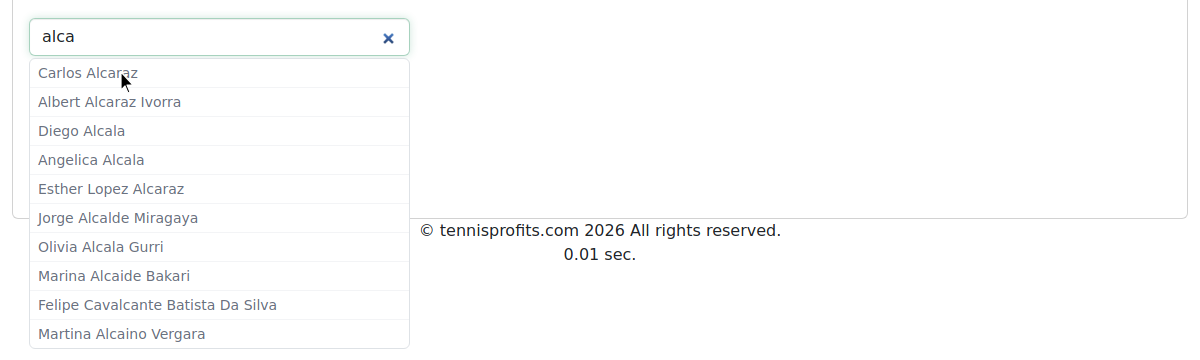
Type at least 3 letters of the player's name — first, last, or any part of it — and a dropdown of matching players appears. Click the name you want from the list.
If the name you type returns no results, that player is not in our data or may be spelled slightly differently. Try a different spelling or a shorter fragment.

Same engine as a real match page
Everything you can do on a real Match Page works here too — the same filter bar, head-to-head, previous matches and stat tables. If a head-to-head comes up empty, the two players simply haven't met before.
See Match Page for how to read and filter the comparison.
Tips & Tricks
- Use it to scout a possible draw — pair two players who might meet later and see how their form stacks up.
- Everything on the match page works here — filters, breakdown, tour-average comparison. Learn it once on the Match Page.
- Reset clears both players to start a fresh pairing.
Note — it's hypothetical. Custom Matches never predicts a winner or invents a result; it just puts two players' current form side by side.
FAQ
Can I pick any two players, including ones from years ago? You can pick any two players we cover. The search boxes autocomplete from our data. This does include some matches from many years ago, but not all.
Why can't I find a player I typed — can I add my own? No — you can only choose from players already in our data. If a name doesn't appear, that player isn't covered or has a different spelling.
Can I save or share a custom matchup? No. Set it up again from the two names and surface whenever you want to revisit it.
Is this the same as the real upcoming-match page? Yes — it uses the exact same engine, filters and layout as a real Match Page.