Match Page
The Match Page is the richest, most-opened page on the site. Open it by clicking a match row on any home tab. It shows both players side by side with a full filter bar, head-to-head, previous matches, tournament record and detailed trading stats.
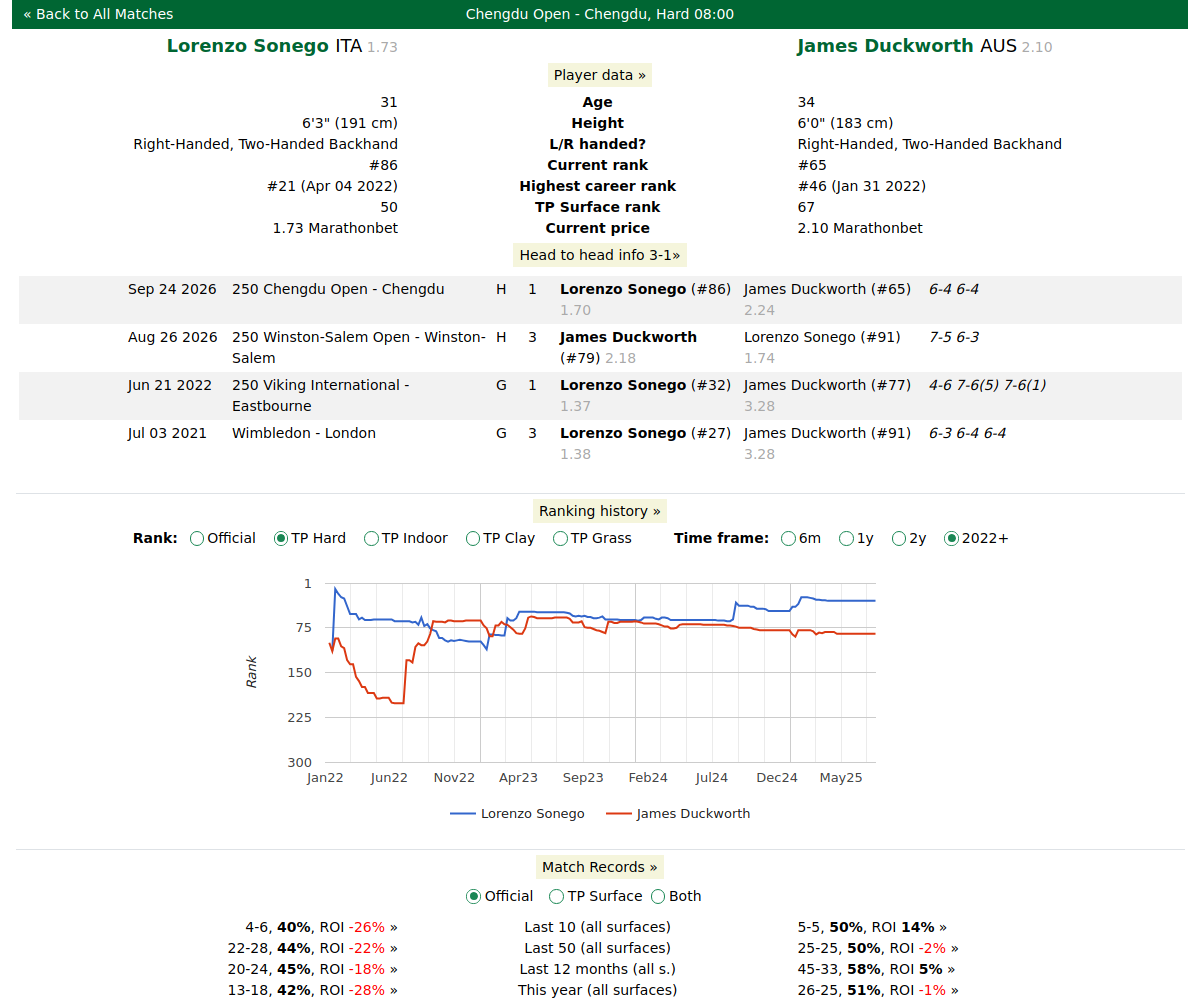
Take a moment with the filter bar — it looks busy but each control is simple once you know the one rule below.
The one rule that unlocks the filters
Most of the match-page filters are relative to today's actual opponent, not absolute. "Handedness: same" doesn't mean "left-handers" — it means "how this player did against opponents who play with the same hand as today's opponent." Keep that in mind and the whole bar makes sense.
The player Data block

Under each player's name sits a short info line:
Age, height (where known), handedness, current and highest official ranking, our own TP surface ranking, and the available fix odds.
The same info line is reused inside the head-to-head, previous matches and tournament record blocks. More on rankings in Odds & Rankings.
The filter bar

Each filter re-derives both players' history. You must click Apply for changes to take effect — except Include retirements, which applies on its own.
| Filter | Options | What it does |
|---|---|---|
| Surface | All / Hard / Indoor / Clay / Grass | Restrict history to that court group. Remember "Hard" = outdoor hard; indoor hard sits under "Indoor". |
| Tour | All / Main / Challenger / ITF / Today | Which tour tier of past matches to count. "Today" = the same type as this match. |
| Date range | Last 30/90 days, This calendar year, 1 year, 2 years, All time, Last 10, Last 30, This Tournament, or a custom from–to | How far back to look. Last 10 / Last 30 count matches, not days. |
| Handedness | Same / Different / All | Keep past opponents whose hand matches (or opposes) today's opponent's hand. |
| Nationality | Same / All | Keep past opponents from the same country as today's opponent. |
| Common Opponents | Yes / No | Display only the record of the players against opponents they've both played. |
| Include retirements | Yes / No | Retirements are excluded by default. This one applies as soon as you change it. |
| Opponent ranking range | Range / All | "Range" = only past opponents in the same ranking band as today's opponent. |
| Opponent odds range | Range / All | "Range" = only past opponents in the same odds band as today's opponent. Greyed out when the opponent has no odds. |
"This Tournament" is special: it forces the surface to the tournament's own surface (overriding the Surface control) and limits history to the current tournament. Use it to see how a player has fared at this specific event.
Use Reset to return every filter to its defaults.
Head-to-head

How the two players have fared against each other over the selected timeframe, shown as W / L / Win% / ROI. See the note on ROI below.
Previous matches
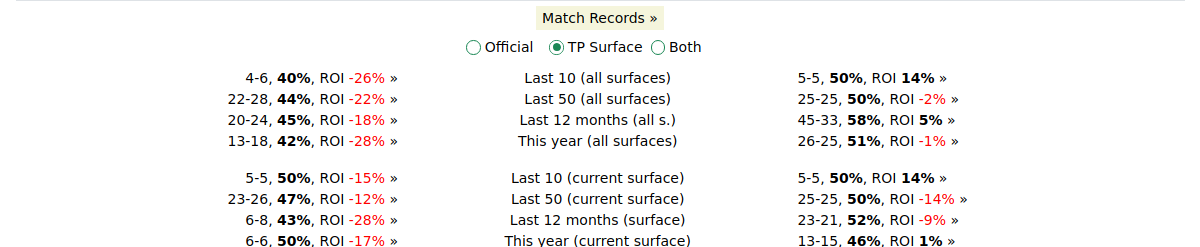
Each player's recent results in the current filtered view. A past opponent shows with a bracket like (#156) — that is the opponent's official ranking on the day of that match, not their ranking today.
Tournament record
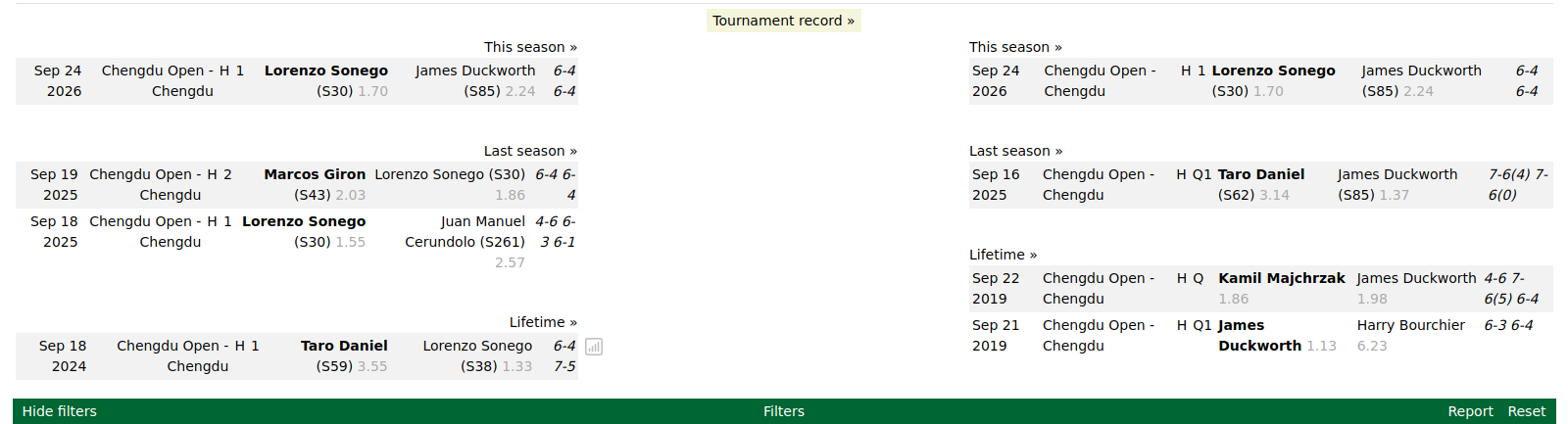
How each player has performed at this same tournament across past years, shown as W / L / Win% / ROI.
Past match stats
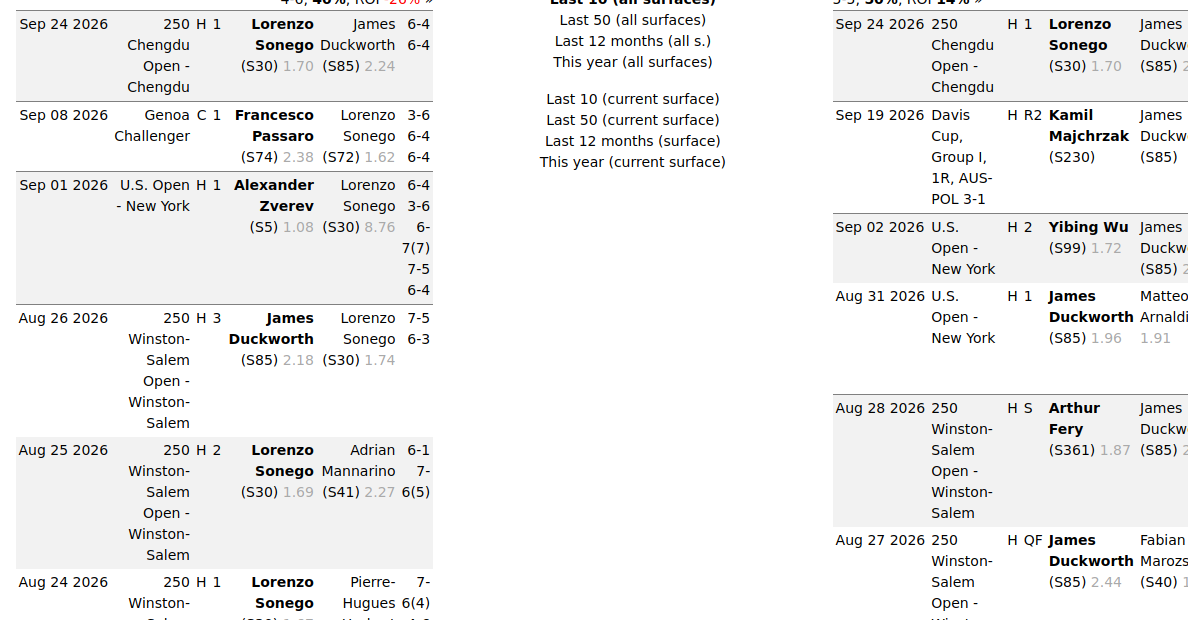
Every match listed in the head-to-head, previous matches and tournament record blocks is clickable. Click a row and a pop-up window opens showing that individual past match on its own — its score and stats — without leaving the page. Close the pop-up to return to the matchup. It's the quickest way to check the detail behind any single result in the lists.
Live momentum charts
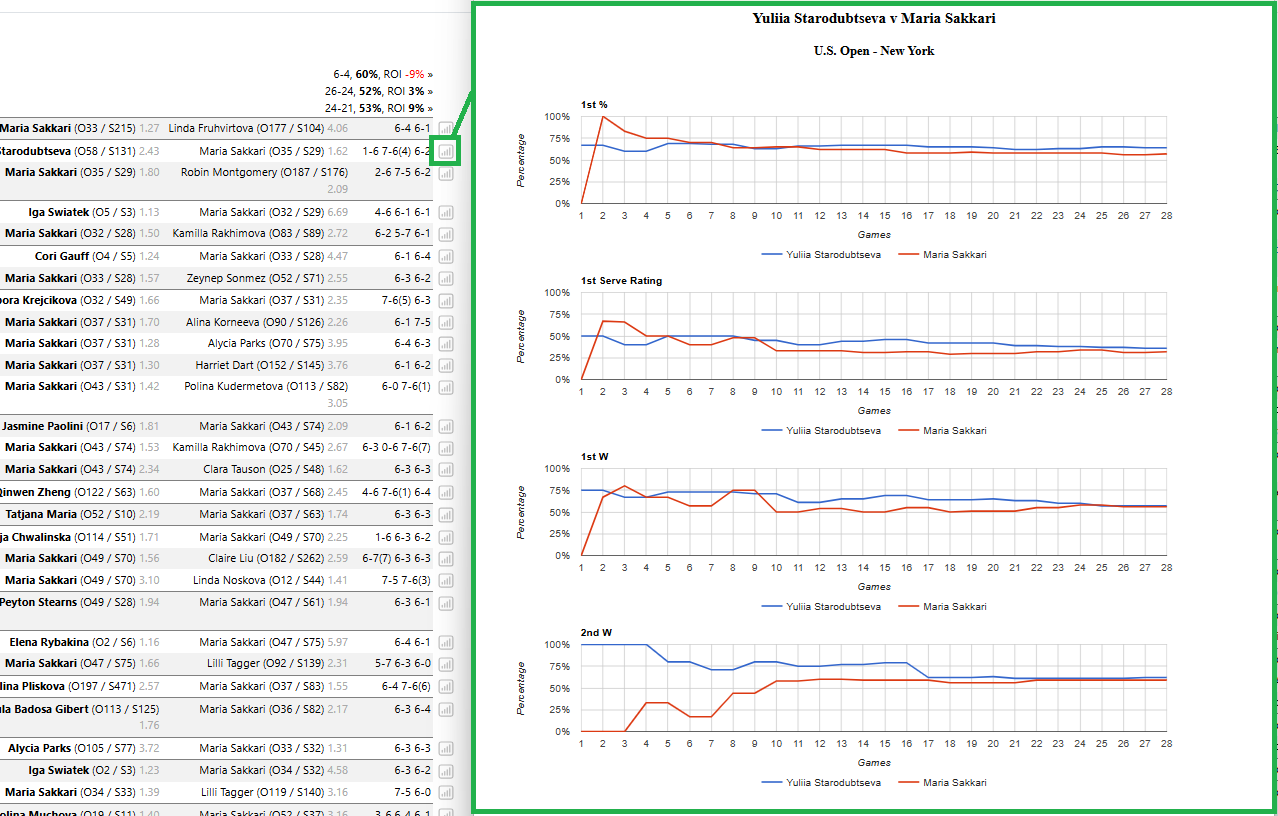
Where we hold game-by-game data for a past match, a small chart icon appears next to that match in the head-to-head, previous matches and tournament record lists. Click the icon and a separate window opens with a set of line charts tracking how the match unfolded, game by game, for both players: first-serve percentage, first-serve points won, second-serve points won and an overall serve rating. It's a quick way to see the momentum swing across the match — who was serving well and when the balance shifted — without opening the full match detail. Not every past match has this data; the icon only shows for matches we hold the progression for.
Score / serve-return stats
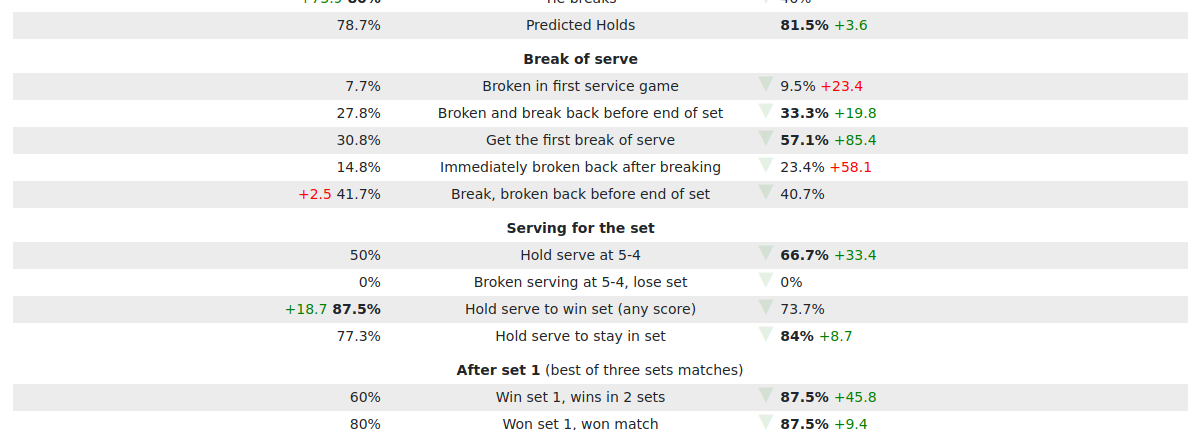
The default stats table compares both players on the core serve/return numbers — Service Hold, Service Points Won, Return Points Won, break-point save and win rates, and Opponent Hold — across your chosen timeframe. Every abbreviation is defined in the Stat Glossary.
Two options add further detail / context:
- Show stats breakdown — adds the raw counts behind each percentage, e.g.
75.5% (394/522)= held serve 394 times out of 522 service games. - Show tour-average comparison — adds the green/red +/- gap versus the typical similar player. See Reading Stats & Filters.
Reading a full stat cell
A fully expanded cell reads like: 75.5% (the rate) · (394/522) (the sample
behind it) · +16.2 (how far above the typical similar player). The three parts
are separate — don't confuse the sample bracket with the comparison number.
Predicted Holds

Predicted Holds estimates the percentage of service holds for each player in this specific match — their usual hold rate adjusted for how strong the opponent is at breaking. A strong returner opposite brings the number down; a weak one lifts it up.
It needs a like-for-like sample, so it only shows when you pick a specific Surface, a specific Tour, and a rolling date range. Otherwise it shows N/A — choose a surface and tour to see it.
Records counts and ROI

A line like "51 matches (40 / 11)" means 51 matches in this view — 40 won, 11 lost (they always sum to the total).
ROI (return on investment) is what you'd have made or lost backing this player at the odds shown, per 1 staked, across these matches. A green Win% and a red ROI can happen together: winning often at short prices can still lose money. Read ROI alongside Win%, not instead of it. Example: 6-3, 67%, ROI -13% — a strong win rate that still lost money because the wins came at short odds.
Applying filters and downloading a report
- Report downloads the currently-filtered view. You can also download a report for a single specific stat using the stat selector. See Reports & Exports.
- Reset clears everything back to defaults.

To download just one stat, hover its row and click the small green download icon on the right of the stat name. The tooltip that appears explains what the stat measures.
Tips & Tricks
- Remember the rule: "same / different / range" options are relative to today's opponent, not absolute.
- Read ROI next to Win%, never instead of it. A high win rate at short prices can still lose money.
- Pick a surface and tour to unlock Predicted Holds — it shows N/A otherwise.
- Use "This Tournament" to see a player's history at this exact event; it sets the surface for you.
- Download a single stat with the stat selector when you only care about one number.
FAQ
What's the difference between the "O" and "S" ranks by a name?
O is the official published ranking; S is our TP surface rank for this match's
surface. See Odds & Rankings.
What do "Opponent ranking range" and "Opponent odds range" filter by? They keep only past opponents in the same band — ranking or odds — as today's opponent.
Why is the opponent-odds filter greyed out sometimes? Because today's opponent has no odds available, so there's no band to match.
What does "This Tournament" do to the surface and date range? It forces the surface to the tournament's own surface and limits history to that same event.
What does "Last 10 / Last 30" count — days or matches? Matches. It's the last N matches by count, not a number of days.
What is "Predicted Holds" and why does it sometimes show N/A? It estimates each player's service gold percentage for this match, adjusted for the opponent. It needs a specific surface, tour and rolling date range — pick those and it appears. Otherwise it will show 'N/A'.
What is ROI in the records blocks? What you'd have made or lost backing this player at the odds shown, per 1 staked, across these matches. Read it alongside Win%.
Do these pages update on their own? No — reload or re-apply a filter for newer numbers.
Can I download a report for a single specific stat? Yes — . See Reports & Exports.
Next: the Player Page, or the Stat Glossary for what every abbreviation means.