Player Page
The Player Page is the single-player view. Open it by clicking any player's name either in a Match Stats page or from the Men's/Women's stats lists. It shows their rankings, a ranking-history chart, and a filterable record of their matches.
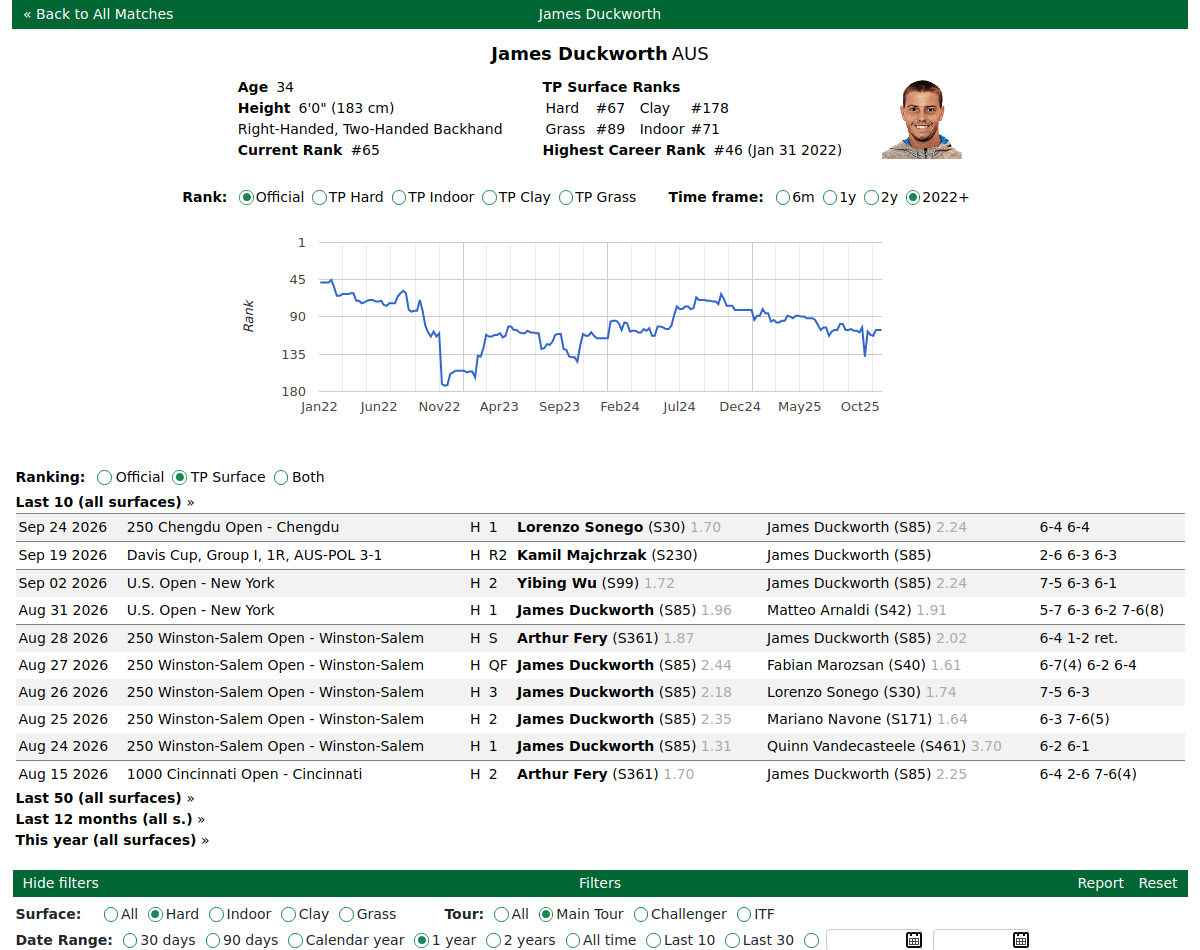
Rankings at the top

- Current Rank — the official published ranking.
- TP Surface Ranks — our own rating, given per surface: Hard, Clay, Grass and Indoor. A player can be strong on one surface and weaker on another, and these four ranks show that.
- Highest Career Rank — the best official rank the player has ever reached, and how recently.
More on the two ranking systems in Odds & Rankings.
The ranking-history chart
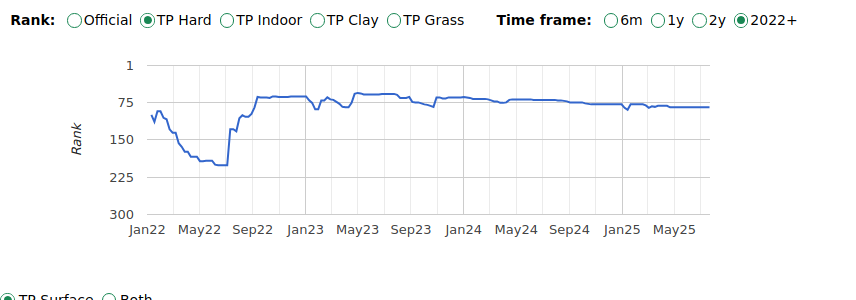
The chart plots the player's ranking over time. A Ranking to display control switches it between Official, and individual TP Surface rankings. Your choice is remembered on your next visit.
Filtering the player's matches

The player page uses the same filter engine as the Match Page, with a slightly reduced bar: Surface, Tour, Date range, Handedness, Nationality, Include retirements, plus the Difference and Show breakdown display options.
Because a single player page has no specific opponent, it does not have the Opponent-ranking, Opponent-odds or "This Tournament" options that the match page has. It does still show the green/red +/- comparison versus the typical similar player (tour average).
Player statistics
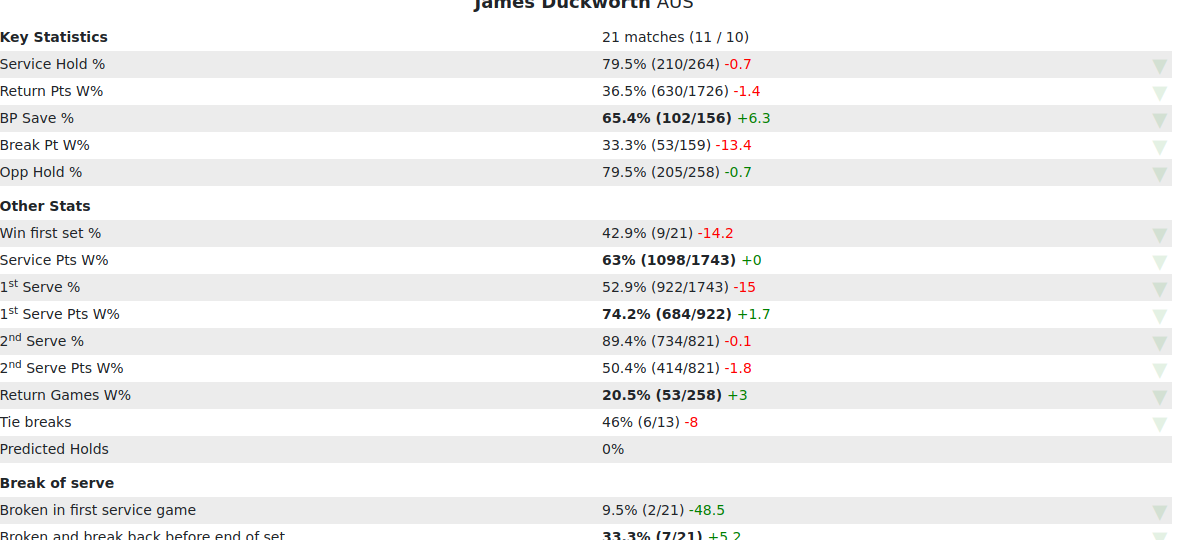
The player's key and trading statistics for the current filtered view, with the same stat rows and breakdown options as the match page. See Reading Stats & Filters for the colours, the +/- comparison and the breakdown counts.
Click any match to open a pop-up showing that individual match's score and stats on its own, then close it to return — the same pop-up used on the Match Page.
Downloading a player report

Use the report button to download the current filtered view for this player. See Reports & Exports.
Click any triangle on the right hand side of a stat in the filters section to download a csv of the associated matches.
Comparing against a specific opponent
To compare this player against a specific rival, use the Custom Matches tab — it builds a full match-page-style comparison for any two players you choose.
Tips & Tricks
- Check all four TP surface ranks — a player strong on clay can be weak on grass, and the surface ranks show it.
- Turn on the +/- comparison and Show breakdown to judge both the gap versus typical players and the sample behind each number.
- Want a head-to-head? Use Custom Matches to pit this player against a specific rival.
Note — no opponent-specific filters here. A single player page has no opponent, so it lacks the Opponent-ranking, Opponent-odds and "This Tournament" options the match page has. It still shows the +/- average comparison.
FAQ
What does "Current Rank" show — official or the site's own? The official published ranking. Our own per-surface ranks are shown separately in the TP Surface Ranks table.
Does my ranking-display choice get remembered? Yes — the Official / TP Surface / Both choice is kept for next visit.
Does the player page still show the +/- average comparison? Yes — it shows the green/red gap versus the typical similar player; it just has no on/off toggle for it.
Are retirements included in a player's history by default? No — they're excluded by default. Switch Include retirements to Yes to count them.
How do I download a report for this player? Use the report button; it reflects the filters you've set. See Reports & Exports.
How do I compare this player against a specific opponent? Use the Custom Matches tab.